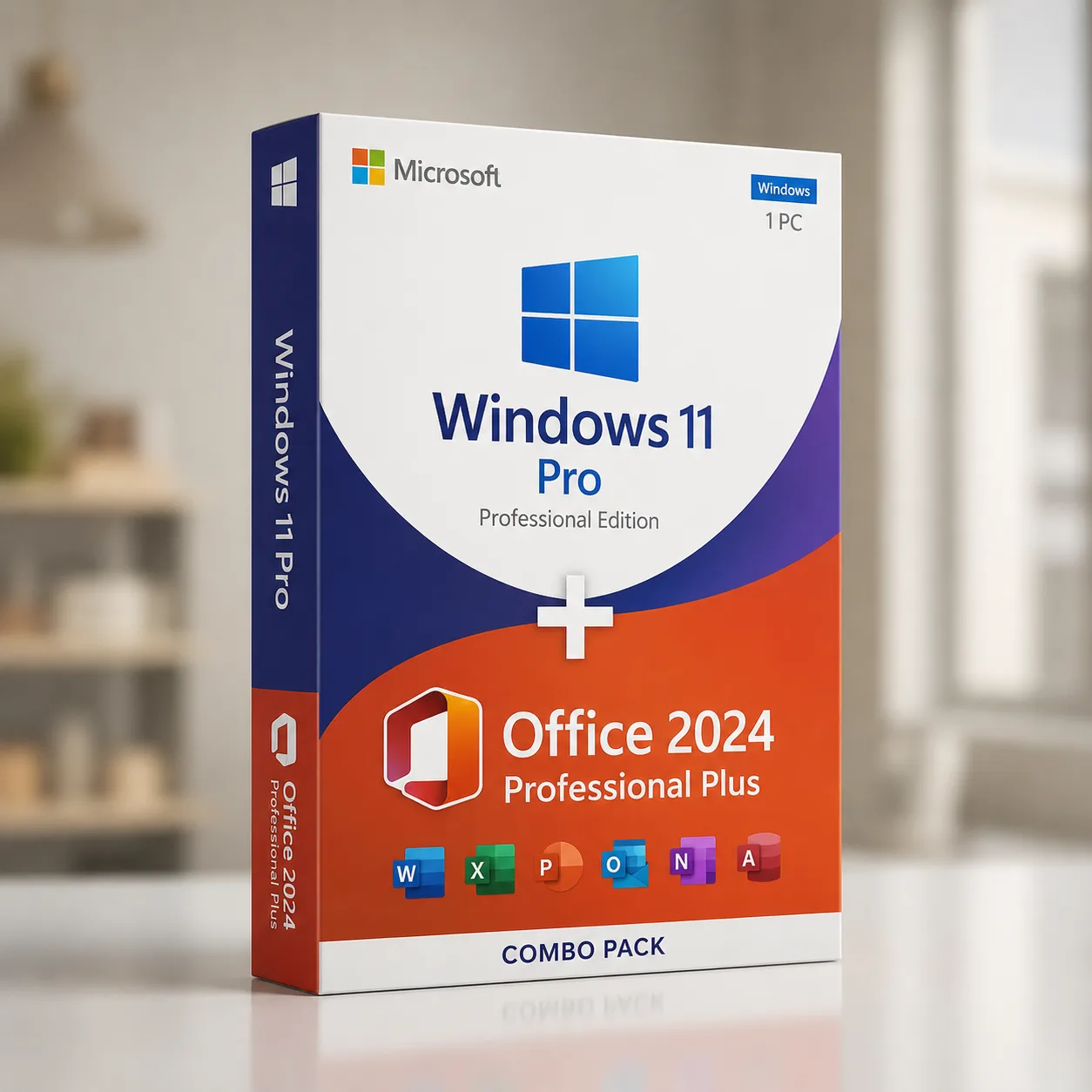
Combo Windows 11 Pro & MS Office 2024 Pro Plus
Get Office 2024 Professional Plus and Windows 11 Pro activation keys
Product Specifications & Activation Guide
Windows 11 Pro + Microsoft Office 2021 Professional Plus – 1 PC Digital License Combo
Get two essential Microsoft software products in one convenient digital package. This Windows 11 Pro + Microsoft Office 2021 Professional Plus combo provides the Windows operating system and professional Office productivity applications for a compatible Windows PC.
Receive your product keys digitally by email together with download, installation, and activation instructions.
What’s Included
Microsoft Windows 11 Pro product key
Microsoft Office 2021 Professional Plus product key
Digital delivery by email
Microsoft software download/install links
Step-by-step installation instructions
Activation instructions
License for the applicable number of devices stated with the product
Delivery Type: Digital Product
Physical Disc or Box: Not Included
Platform: Windows PC
Activation: Online activation subject to Microsoft licensing and activation requirements
Microsoft Windows 11 Pro
Windows 11 Pro is designed for professionals, businesses, advanced home users, and users who need additional security, management, remote-access, and virtualization capabilities.
With its modern Windows interface and professional features, Windows 11 Pro provides a secure and productive environment for work, everyday computing, and compatible PC gaming.
Windows 11 Pro Key Features
BitLocker Device Encryption
Help protect important files and business information using advanced drive encryption capabilities available with Windows 11 Pro.
Remote Desktop
Windows 11 Pro provides Remote Desktop capabilities that can help you securely access a compatible PC remotely when correctly configured.
Windows Sandbox
Run supported applications in an isolated temporary Windows environment without permanently installing them on your main Windows installation.
Professional Security
Windows 11 includes built-in security technologies designed to help protect your PC, identity, applications, and information.
Business & Productivity Features
Windows 11 Pro includes additional features intended for professional and business environments, including advanced device and account management capabilities.
Modern Gaming Support
Enjoy support for modern Windows gaming technologies such as DirectX 12 Ultimate when used with compatible hardware and supported games.
Multilingual Windows Experience
Windows supports multiple display languages that can be installed or configured depending on Microsoft's supported language options.
Microsoft Office 2021 Professional Plus
Microsoft Office 2021 Professional Plus provides a comprehensive collection of classic Microsoft Office desktop applications for productivity, documents, spreadsheets, presentations, email, databases, and more.
It is suitable for professionals, businesses, students, advanced home users, and anyone who prefers desktop Office applications without relying on a Microsoft 365 subscription for the core Office 2021 applications.
Microsoft Office 2021 Professional Plus Apps
Depending on the licensed Office Professional Plus 2021 edition supplied, applications include:
Microsoft Word 2021
Microsoft Excel 2021
Microsoft PowerPoint 2021
Microsoft Outlook 2021
Microsoft OneNote
Microsoft Access 2021
Microsoft Publisher 2021
Word 2021
Create professional documents, letters, reports, resumes, assignments, and other written content using Microsoft Word.
Excel 2021
Manage, organize, calculate, and analyze data using Microsoft Excel.
Excel 2021 includes modern functions such as XLOOKUP, helping users search tables and return matching information more efficiently.
PowerPoint 2021
Create professional presentations for business meetings, education, projects, training, and personal use.
Outlook 2021
Manage supported email accounts, calendars, contacts, meetings, and everyday communication through Microsoft Outlook.
Access 2021
Create and manage relational databases using Microsoft Access.
Publisher 2021
Design layouts and publications such as brochures, newsletters, labels, and other marketing or print materials.
Why Choose This Windows 11 Pro + Office 2021 Combo?
Instead of purchasing your Windows operating system and Microsoft Office software separately, this digital combo brings both products together in one convenient package.
It is ideal for:
Home computers
Work-from-home PCs
Business desktops and laptops
Students
Professionals
Office productivity
Excel and data-related work
Presentations and documentation
Email management
Compatible gaming PCs
You receive both product keys digitally, making the ordering and activation process quick and convenient.
Windows 11 Pro Activation Guide
Activating Windows 11 Pro is simple.
Open Settings on your Windows PC.
Select System.
Open Activation.
Select Change product key.
Enter your 25-character Windows product key.
Select Next or Activate.
Follow the instructions displayed on your screen.
An active internet connection may be required for activation.
Microsoft Office 2021 Professional Plus Installation & Activation
Installation and activation methods can vary depending on the license type supplied with your order.
After purchase, you will receive the appropriate installation and activation instructions together with your product information.
For the best experience:
Remove conflicting or incompatible Office installations if required.
Download Office using the instructions supplied with your order.
Install Microsoft Office 2021 Professional Plus.
Open an Office application such as Word or Excel.
Follow the supplied activation procedure.
Confirm that Office displays an activated/licensed status.
Always follow the installation instructions supplied with your specific license type.
System Requirements
Before purchasing, make sure your computer meets Microsoft's applicable hardware and software requirements.
Windows 11 requirements include compatible hardware such as:
Compatible 64-bit processor
Minimum required RAM
Required storage capacity
UEFI and Secure Boot capability
TPM 2.0
Compatible graphics
Internet connectivity where required
Hardware compatibility should be checked before purchasing or installing Windows 11 Pro.
Digital Delivery
This is a digital software product.
No physical DVD, USB drive, CD, retail box, or physical package will be shipped.
After successful payment, the applicable product information is delivered electronically to the email address provided during checkout.
Your order may include:
Windows 11 Pro product key
Office 2021 Professional Plus product key
Download/install instructions
Activation instructions
Additional setup information where applicable
Important Microsoft Office 2021 Support Information
Microsoft Office 2021 reaches the end of Microsoft support on October 13, 2026.
After this date, Office 2021 applications may continue to function, but Microsoft states that Office 2021 will no longer receive technical support, software updates, bug fixes, or security fixes.
Please consider this support lifecycle before purchasing Office 2021.
Frequently Asked Questions
Is this Windows 11 Pro and Office 2021 Professional Plus combo delivered digitally?
Yes. This is a digital product. Product information and applicable installation and activation instructions are delivered electronically.
Will I receive a physical DVD or product box?
No. This listing is for digital delivery only unless the product page explicitly states otherwise.
Is Windows 11 Pro suitable for business use?
Windows 11 Pro includes additional security, management, Remote Desktop, encryption, and virtualization capabilities useful for professional and business environments.
What applications are included with Office 2021 Professional Plus?
Office Professional Plus 2021 can include Word, Excel, PowerPoint, Outlook, OneNote, Access, Publisher, and other applications associated with the licensed Professional Plus edition.
Does Excel 2021 support XLOOKUP?
Yes. Excel 2021 includes XLOOKUP and other improvements introduced with the Office 2021 generation.
Can I install Office 2021 Professional Plus on a Mac?
This listing is intended for compatible Windows PCs. Access and Publisher are Windows applications and aren't available for macOS.
Does Office 2021 require a monthly subscription?
Office 2021 is part of Microsoft's non-subscription/perpetual Office generation. The exact activation rights and permitted number of devices depend on the specific license supplied.
Can I transfer Windows 11 Pro to another computer?
Transfer rights depend on the exact type of Windows license supplied and Microsoft's applicable licensing terms. If your product is specifically sold as a Retail Windows license, transfer rights should be assessed according to Microsoft's current license terms.
Will Windows 11 receive Microsoft updates?
A properly licensed and supported Windows 11 installation can receive applicable Windows updates according to Microsoft's Windows servicing and lifecycle policies.
How will I activate my products?
Windows can normally be activated through Settings → System → Activation. Office activation varies depending on the applicable Office license type. Detailed instructions should be supplied with your order.
Before You Buy
Please verify that your computer meets the required Windows 11 and Microsoft Office compatibility requirements before purchasing.
Product activation, reactivation, transfer rights, device limits, and usage rights are governed by the specific license supplied and Microsoft's applicable licensing terms.
Microsoft, Windows, Office, Word, Excel, PowerPoint, Outlook, Access, Publisher, and related names are trademarks of Microsoft Corporation. This website is not Microsoft Corporation unless expressly stated otherwise.
Verified Customer Reviews
Related Genuine Software Licenses