Windows Guides
How to Activate Windows 11 Pro with a Product Key - Step-by-Step Guide
Learn how to quickly activate Windows 11 Pro on your PC using an official 25-character digital product key.
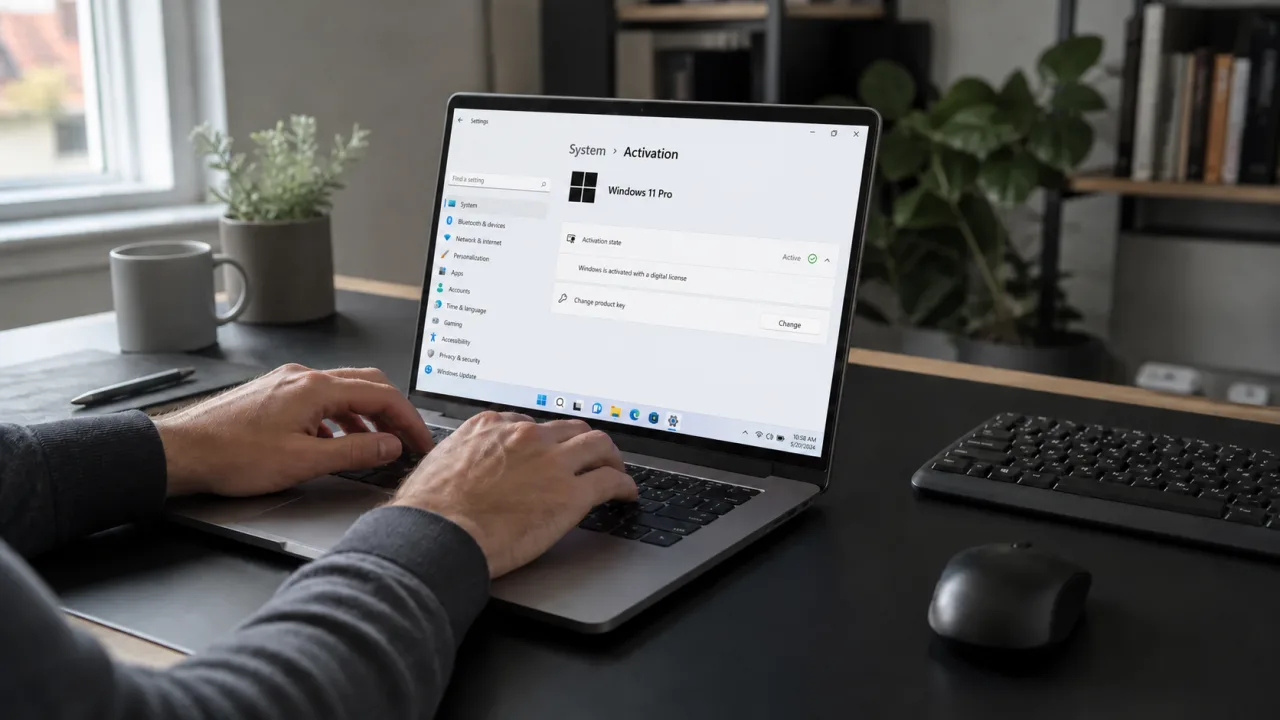
Complete Step-by-Step Guide to Activating Windows 11 Pro
Activating Windows 11 Pro unlocks all personalization features, removes the annoying activation watermark, and ensures your PC receives all essential security and feature updates from Microsoft.
Method 1: Activating via Windows Settings (Recommended)
- Press Windows Key + I to open the Settings app.
- Click on System from the left sidebar, then select Activation.
- Under the activation state, click Change next to Change product key.
- Enter your 25-character digital product key.
- Click Next and then Activate. Your PC will verify the key with Microsoft servers and activate instantly.
Method 2: Activating via Command Prompt (Admin)
If you encounter any UI glitches, you can activate via CMD:
slmgr.vbs /ipk YOUR-25-DIGIT-KEY
slmgr.vbs /ato
Need a genuine license? Buy genuine Windows 11 Pro Retail Key for ₹699 at DigiT World.